Will AI Replace Your Software Testing Job?


Today, we’re tackling a big question: With the rise of code generators and AI that can make UI elements based on a single drawing, will AI take your software testing job?

The short answer is no. Today we can safely tell you that no, AI won’t take your job. Instead, we think it will enhance the way you work. Let’s see how we can make AI a powerful ally for software testers.

Role of AI in Software Testing

We like to think of AI in the testing world’s context as a controlled chaos maker. We can simulate some parts of being human to introduce some unpredictability in our tests and see if our app mitigates against the chaos.

Instead of fighting AI, let’s embrace it. One of the ways we can do that is if we can have it write test cases for us, execute it, then tell us if it passed or not.

We can then easily move those generated tests to a framework like cypress or to a continuous integration environment like GitHub Actions.

So for the rest of the article, we’ll show you how you can have ai make a test case that:

  1. Generates and sends an email.
  2. Reads the contents of said email from the user’s inbox.
  3. Ensures that contents of 1 and 2 are the same.

To be safe and not risk sending any emails out to customers, we’ll use Mailsac and its API.

Making the Assistant

So for this walkthough we’re going to be using OpenAI’s “Assistant” feature. Assistants are a little bit more of a halfway point between the chat AI we all know, and an AI agent that is more autonomous.
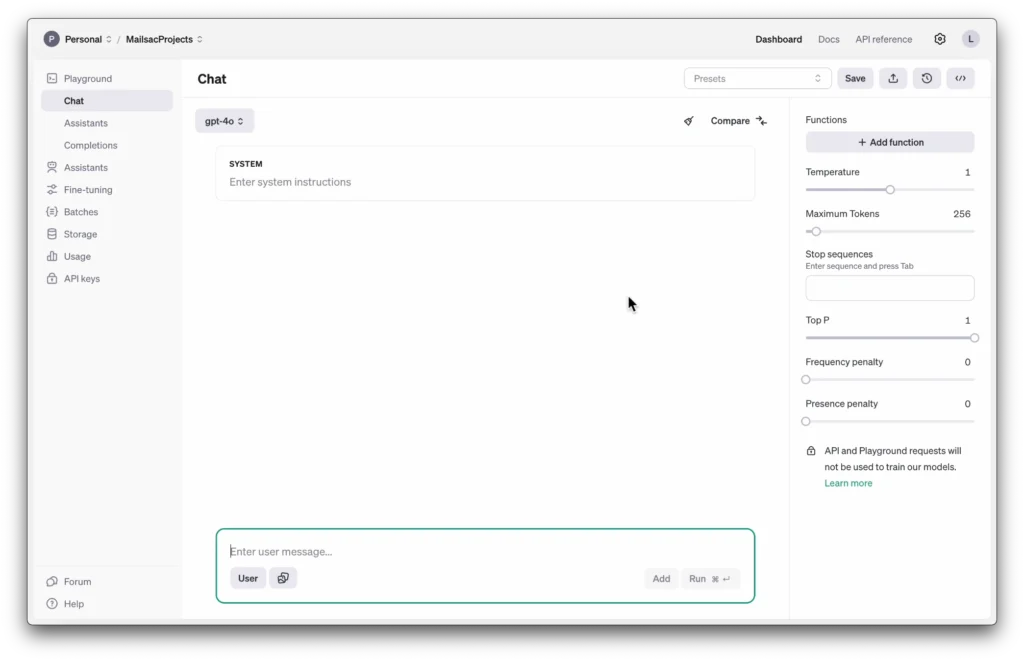
We want to give this AI the ability to generate and run some code and read files, but not necessarily make any autonomous decisions.

For the instructions we’ll give it some system prompts to let it know under what context it should be operating under.
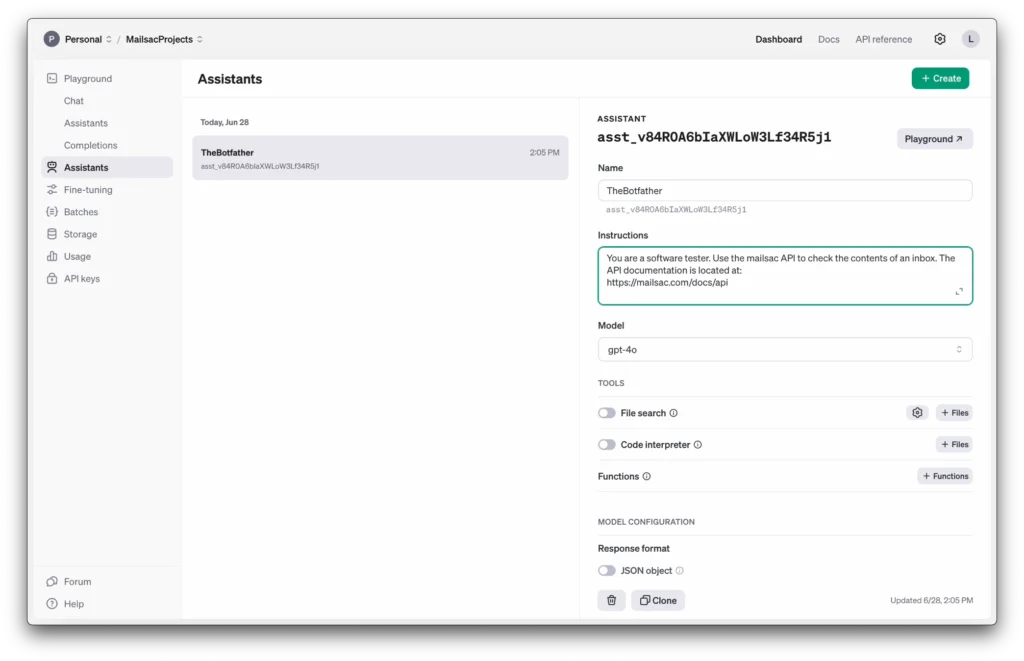
We’ll use the latest gpt-4o model and enable the code interpreter tools. That should allow it to read, run and execute some code for us.

Now let’s go ahead and start generating our test cases.

We’ll use the prompt

You are creating a code test that will return true of false if a certain criteria passes. The language for > all tests should be in javascript. Use dotenv for your API keys.

The criteria is:

  1. Generate an email message and send it via nodemailer using google’s SMTP servers. Send it to ferrari@mailsac.com.
  2. Wait 2 seconds for the email to send from Google then use the mailsac API to check the subject and
    content of the email.
  3. Make the test pass if it matches what was sent in 1 and fail if it doesn’t match.

Keep in mind that you can easily tweak the SMTP to use your own service. We’ll stick with Google’s as its the most accessible for this walkthrough.

Generating the Test Case

Fire it off to the AI Assistant and let it generate the test case. In this run it generated a mocha test for me. In previous iterations it didn’t generate a whole mocha test so I’ll ask it to just use node.
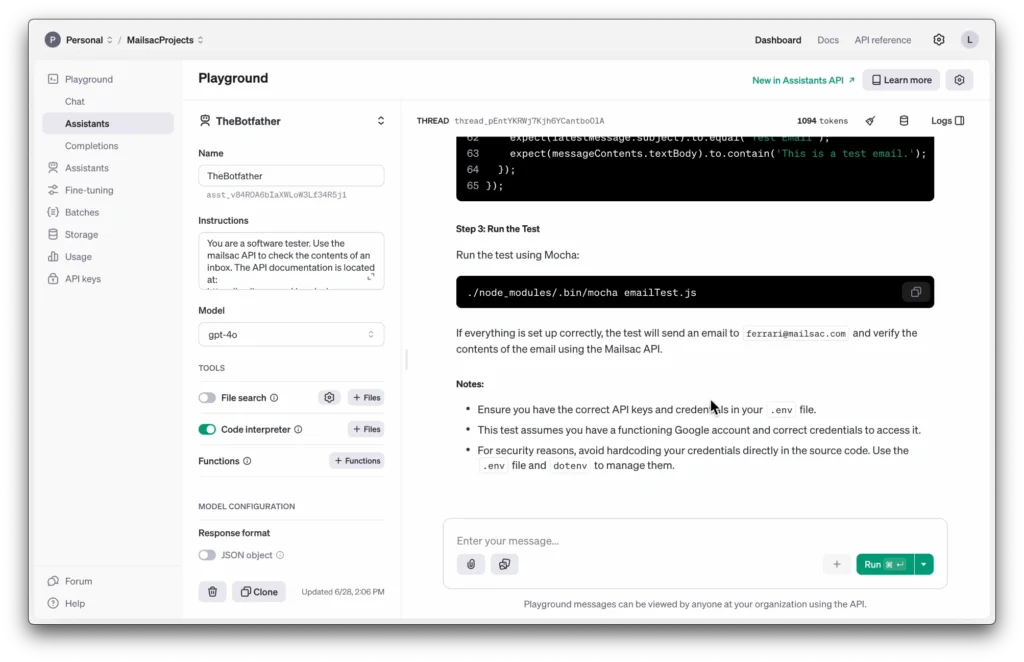
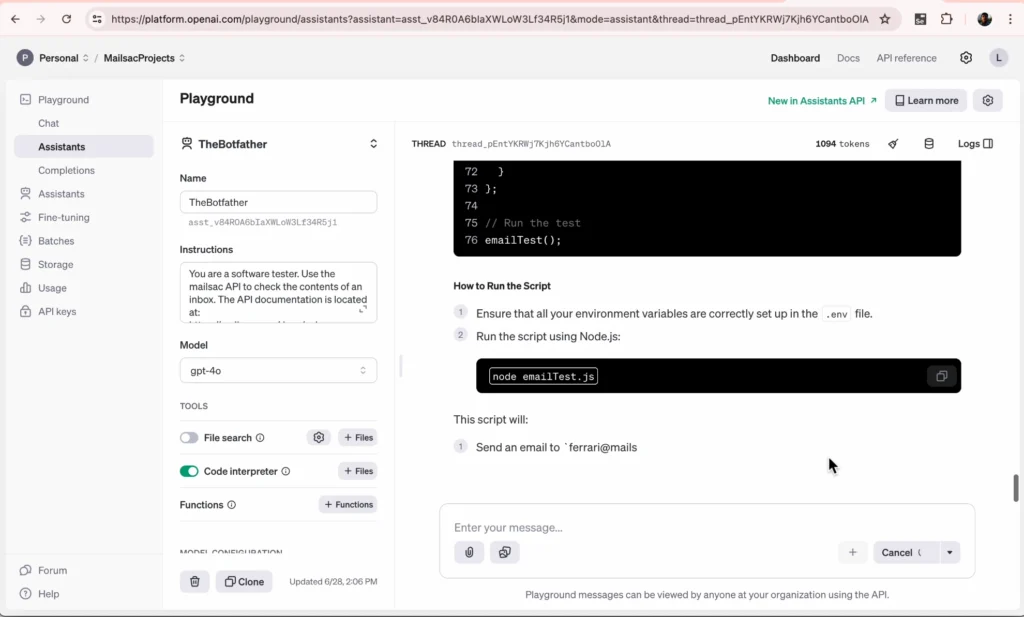
As you can see it pretty much walks you through the whole project creation process. Let’s go ahead and do our setup and install.

mkdir email_test
cd email_test
npm init -y
npm install nodemailer dotenv axios

The libraries it wants to use are pretty standard. (You could make an argument against axios but hey, let’s roll with it).

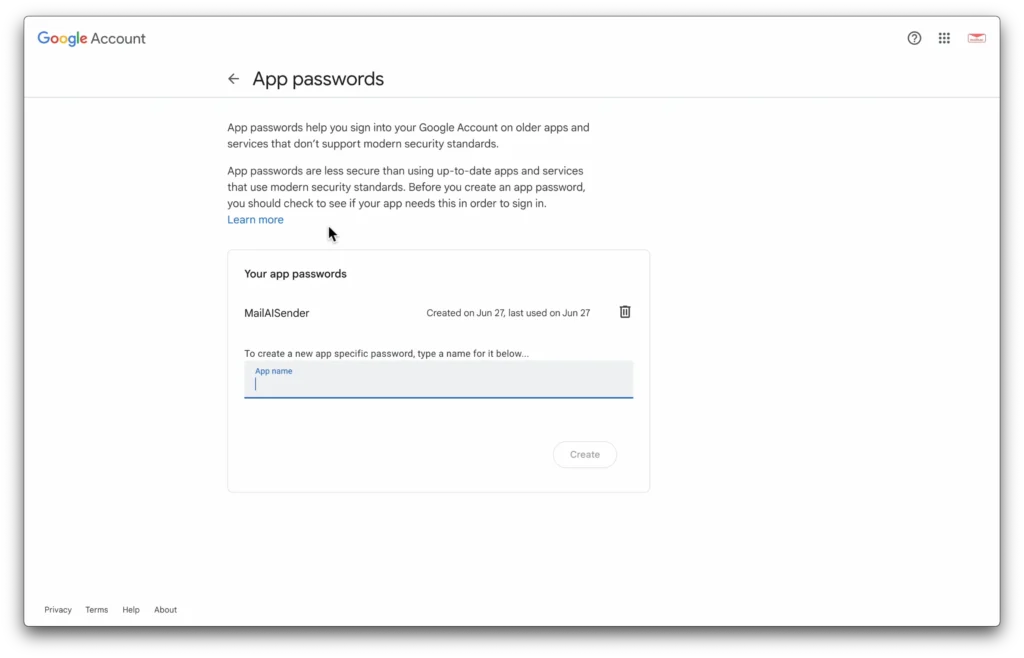
And now we’ll use a .env file to hold our API keys. You’ll need an application password for the google SMTP.

You can find where to add that in your Google account.
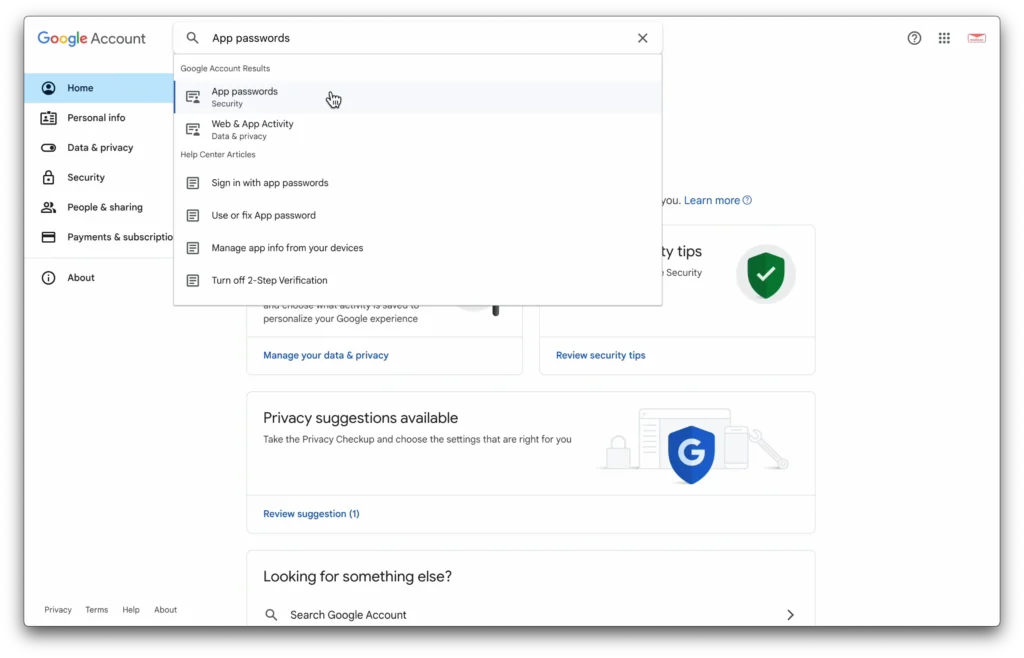
You’ll also need a mailsac key.
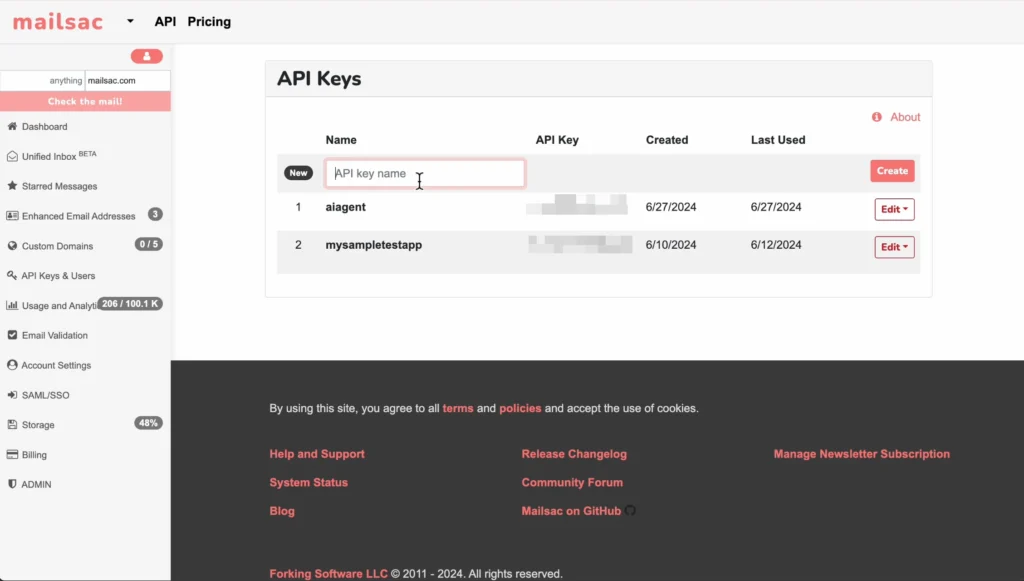
The .env file is now:

MAILSAC_API_KEY=your_mailsac_api_key
GOOGLE_EMAIL=your_google_email
GOOGLE_PASSWORD=your_google_email_password

Now copy all of your keys and email onto the .env file.

Let’s start working through the code itself

Code

Looking through the code it looks fine, with 2 exceptions: It needs to be guided on the API endpoint (to use /api/text instead of /api/messages) and it the object retrived is the text itself, so we can remove the nonexistant child textBody

Now let’s go ahead and run the test.

Check on mailsac to visually make sure an email was sent.
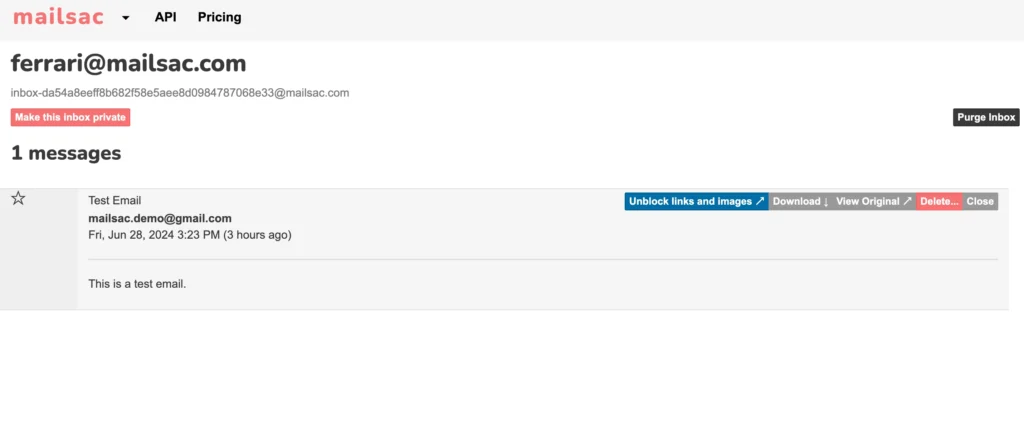
You can even make the test fail on purpose to ensure it’s working as intended.
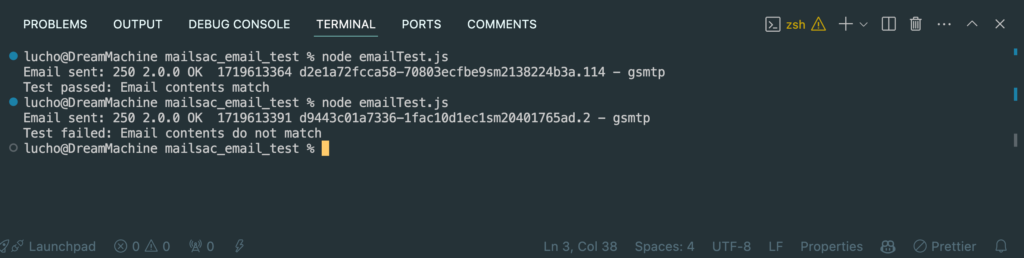
It works!

Extending AI

From here it’s easy to incorporate these kinds of tests into specific continuous integration frameworks of your choice.

You could use cypress and work with existing libraries or an existing framework to run your tests.

Or you could use GitHub actions to fully run your now AI generated tests in the cloud. We have a guide showing you how to do just that.

Conclusion

As you can see it still took a human element to know what to want to test, frame it, and even tweak the AI’s output a bit to make sure that what it was generating made sense.

Tester’s aren’t going anywhere anytime soon, especially if you leverage AI to do the work for you while you focus on whats important to test and why.

The Cost of Email Mistakes: 5 Case Studies You Need to Know

The Cost of Email Mistakes: 5 Case Studies You Need to Know

Email is a crucial communication tool for businesses, even in 2024. It’s simple and effective. But in its simplicity we can find ourselves complacent in how we use it. Or even who we send our emails to.

In this article, we’ll examine five real-life case studies where emails went wrong and caused significant problems for the organization that sent it. From exposing private information to damaging a company’s reputation, these examples highlight the potential risks of email errors. By understanding these incidents, businesses can learn the importance of proper email management and take steps to prevent similar mistakes. These case studies serve as a reminder that attention to detail is essential in all aspects of communication.

Case Study #1 – HBO Max’s “Integration Test Email” Incident

HBO says: "Yes, it was the intern"

In June 2021, HBO Max accidentally sent an “Integration Test Email #1” to a large number of its subscribers. As you can guess, the email was meant for internal testing but mistakenly went out to real customers. The incident caused widespread confusion and snark on social media. Some people pointed out the optics of mistakenly sending out an email to your entire client base, but most took the email fail in jest:

Tweet of someone that reads: "For the #1 Integration Test Email in ur life <3 @hbomax"

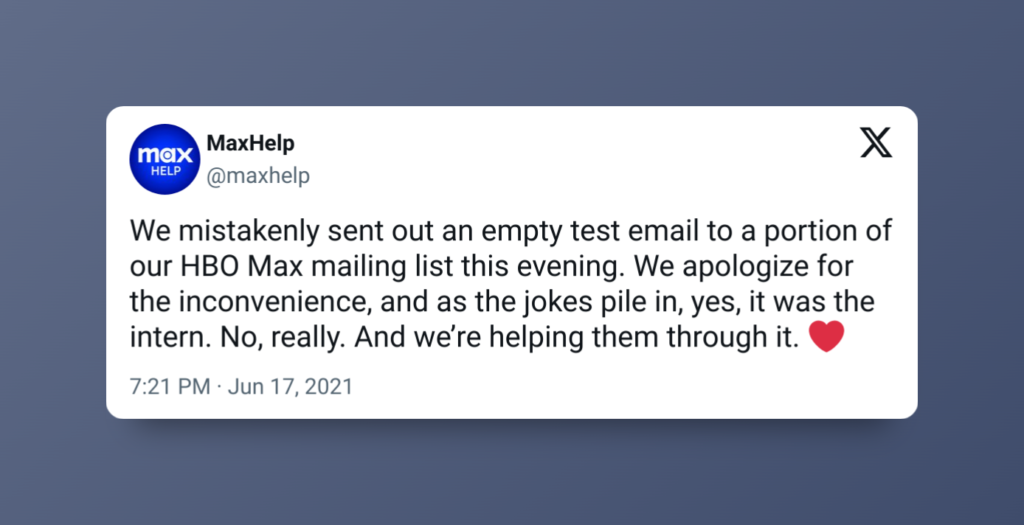
Hilariously, the official HBO Max twitter account had this explanation:

Tweet that reads: "We mistakenly sent out an empty test email to a portion of our HBO Max mailing list this evening. We apologize for the inconvenience, and as the jokes pile in, yes, it was the intern. No, really. And we’re helping them through it. ❤️"

We don’t blame the intern, but we do cast some judgment on their complete lack of email service testing! Using disposable email addresses for internal testing could have prevented this. But hey, we did at least get some genuine entertainment.  

Case Study 2 – Running Warehouse CC vs BCC

Header that reads "Running Warehouse vs BCC and CC"

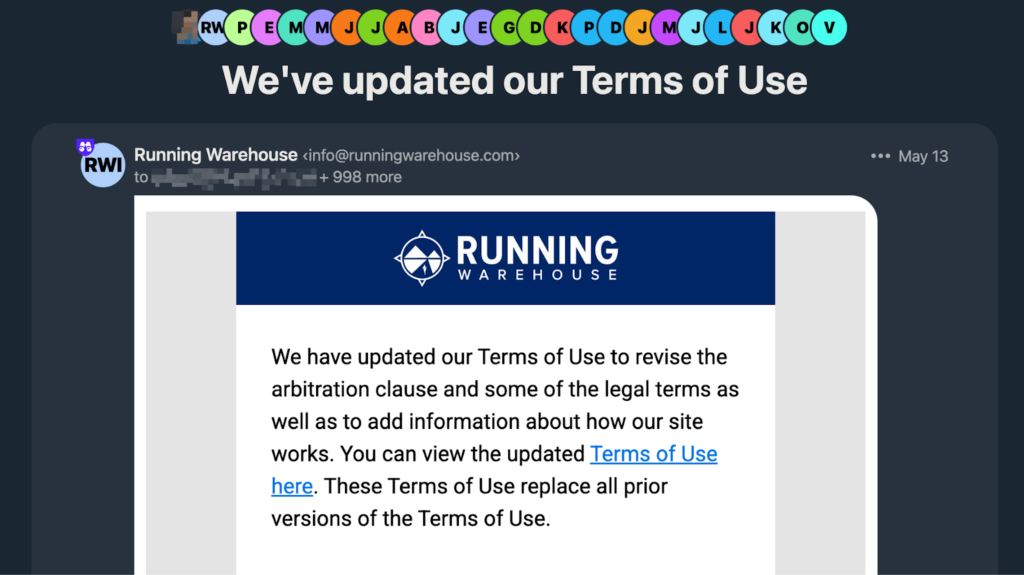
Sadly this case is not as harmless. On May 2024 RunningWarehouse, a discount shoe seller, sent out what should have been a routine email about updating their terms of service.

As you can see, this wasn’t just sent to a single customer. While not the entire customer list, approximately 999 customers is pretty indicative of an email testing batching failure. And it didn’t go unnoticed either, as there was at least one 30 post thread on arguably the internet’s largest running forum

The issue is still relatively fresh as of this writing, but it’s safe to assume that Running Warehouse did not intend to leak 1000 of its customer’s email addresses to each other due to someone mistaking CC vs BCC. And even more seriously, it could even be a violation of GDPR under “Sharing Email Addresses Without Consent” according to GDPR’s Data Breach Guidelines.

Case Study 3 – University Backtracks Acceptance Letters

Banner image that reads "Sorry, Wrong Recipient"

In January 2019, the University of South Florida St. Petersburg mistakenly sent acceptance emails to nearly 680 applicants, although only 250 had been accepted. As you can imagine this caused confusion, disappointment, and reputational damage to the university. The affected students and their families were left feeling misled, and the university had to invest considerable time and resources to address the fallout from the erroneous communication. 

You may not be shocked to hear that this isn’t the first time this has happened, as Columbia University also accidentally sent 270 emails to students who had not been officially accepted. 

These cases are a clear cut impact of email errors on institutional credibility and the importance of systematic verification before sending mass emails. Systems sending out emails absolutely need to ensure that the emails they intend to send are 100% accurate.

Case Study 4 – Australian Leaks Citizen Emails

Banner text that reads "Australia vs BCC and CC"

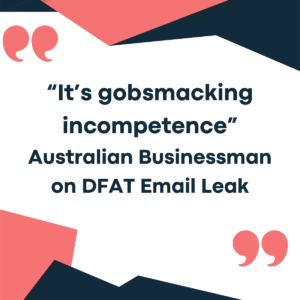
In September 2020, an employee at Australia’s Department of Foreign Affairs and Trade (DFAT) accidentally exposed the personal details of almost 3,000 citizens by not using the BCC field in an email. This revealed the email addresses of Australians stranded abroad due to COVID-19 travel restrictions. The mishandling of this sensitive information led to major privacy concerns and required immediate action, such as attempting to recall the email and asking recipients to delete it. 

While not directly tied to a system, temporary email accounts could be used in place to ensure the intended audience and message gets to its audience intact. 

Case Study 5 – Serco Accidentally Shares Contract Tracers

Banner text that reads: "Serco vs BCC and CC"

In May 2020, Serco, a business services and outsourcing company, accidentally exposed the email addresses of nearly 300 newly recruited COVID-19 contact tracers by using the CC field instead of BCC. This breach of privacy led to concerns about the security of personal data and put the company’s data protection practices under scrutiny. Serco apologized and announced that they would review and update their procedures to prevent similar incidents in the future. 

Yet another case of manual implementations of email lists without temporary email addresses, email outbound trapping services, or message integrity verification (ie, only 1 person in the to field, nothing in the cc field).

Stop Customer Data Leaks & Company Reputation Hits With Mailsac

We offer several benefits that can help prevent incidents like the ones described above:

  • Enhanced Security: Temporary emails protect more than just attacks and spam. By using a disposable email address, you can send test emails either manually or via your system to ensure the message arrives exactly as intended.
  • Privacy Protection: Mailsac helps keep personal and sensitive email addresses private. This is especially useful for companies conducting internal tests or handling sensitive information. 
  • Minimized Clutter: Using temporary emails for one-time use reduces inbox clutter around testing. It’s beneficial for both individuals and teams, as it keeps testing cycles organized. You can even split your testing into campaigns by using unique email addresses you control with every testing cycle with our Zero-Setup subdomains feature.
  • Testing and Development: Mailsac is ideal for testing campaigns, systems, and internal communications. Temporary emails can be used during development phases to catch errors and ensure that only verified emails are sent to real users. We have fully featured APIs to integrate between any systems.

Disposable email services are an essential tool for modern communication. They can help prevent costly mistakes and ensure that PR issues around email remain in the past. For those looking to enhance their email security and efficiency, we’re an excellent choice. Give Mailsac a try today and see how it can benefit your email needs.

Why Professional QAs and Software Devs May Choose Mailsac Over Disposable Email

Email deliverability testing, and QA testing web apps with multiple account permissions, are critical aspects of software development and Quality Assurance (QA). Although disposable email websites and gmail addresses are a common choice for this task, they present several significant drawbacks for enterprises. This article will detail the advantages of using dedicated email deliverability platforms like Mailsac instead.

Limitations of Disposable Email

1. Security and Privacy

Disposable email platforms typically make all emails public. These websites are frequently crawled by scammers to acquire sensitive information.

Disposable email services often lack robust security measures, exposing sensitive test data. This lack of security can compromise the integrity of testing and risk breaches of confidential information. They rely on security through obscurity – random email addresses that are hopefully unguessable.

Disposable email providers typically do not have Information Security and Assurance programs, and cannot pass a Vendor Risk Assessment.

2. Business Agreements

The terms of service for disposable email services are often unsuitable for professional development and testing contexts. They can include problematic clauses and offer limited protections for users, which isn’t ideal for businesses. The terms and privacy policies tend to be non-negotiable.

3. B2B Interfaces

Disposable email services often lack capabilities for Business-to-Business (B2B) interfacing. This limitation can hinder the integration of these services into larger, automated testing suites, significantly limiting their usefulness in professional testing scenarios.

4. Uptime and Performance

Disposable email services are often slow and lack reliable uptime. These performance issues can introduce unnecessary delays into the testing process and create uncertainties around the reliability of test results. If an email was delayed, it can be hard to know if it was on your end, or theirs.

Advantages of Using Mailsac

Mailsac, as a dedicated email deliverability platform, provides a solution to these limitations and offers considerable advantages for professional QAs and software devs.

1. Enhanced Security

Mailsac prioritizes security, providing secure paid private inboxes and whole subdomains for testing.

You can test your application’s email functionality without risking sensitive data being leaked or public, or sold to a data broker.

2. Professional Business Agreements

Mailsac offers business-friendly terms of service, custom terms, P.O.s, multiple users, SSO and other features designed with the needs of professional QAs and software developers in larger companies with legal and security requirements. This provides a more suitable environment for business operations and testing.

3. Integration and functional testing

Mailsac provides powerful REST APIs, webhooks, and web sockets for integrating into CI/CD and workflows. Companies frequently integrate mailsac seamlessly into their automated testing suite. Using a consumer disposable provider often results in unexpectedly failed builds. Using a professional provider gives you comprehensive and efficient testing and enables continuous deployment.

4. Reliable Performance

Mailsac has high uptime and quick API and UI performance, ensuring a smooth and reliable email testing process. We believe performance is a feature.

5. Share test environment account email addresses

When you are testing a web application, you can use email addresses that are private to your Mailsac account to sign up for your app. Then share those inboxes with your teammates. For example, you may be testing a web app with two RBAC roles – administrator and readonly user. Each can have a unique mailsac email address. Your web app sends a sign-in link via email. All team members can access it (using mailsac’s multi-user or SSO feature). And since it’s not disposable email, the sign-in link to your app’s dev environment won’t be public.

While disposable email services may appear convenient, they come with considerable drawbacks for professional QAs and software devs. They can be against company policies because they may leak proprietary business information. Mailsac, with its robust features and focus on business needs, provides a far more effective solution for email deliverability testing.

QA Testing Email Deliverability using Mailsac: An Overview for QA Managers

The importance of Quality Assurance (QA) testing in software development and operations cannot be overstated. It ensures the product or system performs as expected, minimizing the risk of unexpected failures in production environments. A crucial aspect of QA testing involves testing email deliverability. This article will focus on how to use Mailsac, a leading tool in email testing, to execute this task effectively.

What is Mailsac?

Mailsac is a service providing temporary, “for-test-only” email addresses that can be used for testing and development purposes. Mailsac’s uniqueness lies in its capability to accept emails sent to any unique, auto-generated email addresses under its domain, thus eliminating the need for pre-generating email addresses or setting up a dedicated testing email server.

Why Use Mailsac for Email Deliverability Testing?

Email deliverability testing is vital to ensure emails are correctly dispatched from your application and are appropriately received by your users. Mailsac offers the flexibility to test various email formats and content, inspect the received emails, and verify they are correctly formatted and contain the correct data. This helps mitigate common issues such as emails being marked as spam, lost emails, or broken email formats.

How to Perform QA Testing with Mailsac

Let’s delve into the steps to conduct QA testing for email deliverability using Mailsac.

Step 1: Set Up a Mailsac Account

First and foremost, you need to create a Mailsac account. Visit the Mailsac website and follow the sign-up instructions.

Step 2: Send Emails to Mailsac

Next, send emails from your application to any addresses on the mailsac.com domain. Mailsac is designed in such a way that you don’t need to pre-generate the email addresses. Just decide on the address you want to use and send the email. The inbox will be created automatically when an email is received.

You can send the emails from anywhere, too – personal or work addresses, fake senders, CLI tools, software applications – without a separate sending gateway.

Step 3: Check Email Deliverability

After sending the emails, you can verify their delivery in the Mailsac interface. Here, you can view the received emails, check their contents, and confirm they are correctly formatted. Mailsac also enables you to check if attachments are included correctly using the Unified Inbox or API, and whether the links and images in the email are functioning properly.

Advanced Testing with Mailsac API

For more sophisticated or comprehensive testing, Mailsac offers a robust JSON REST API and Web Socket API. This empowers you to automate the process of sending emails, checking their delivery, and verifying their contents. These API calls can be integrated into your automated testing suite, enabling you to conduct in-depth email deliverability tests as a part of your regular testing process.

Wrapping Up

Mailsac presents a powerful and versatile method to test email deliverability as a part of your QA process. It allows you to send emails to any address on its domain, and the inboxes are created automatically when an email is received. By integrating Mailsac into your QA testing, you can significantly enhance the quality and reliability of your email notifications, thus offering a better user experience. Sign up and start receiving email in seconds.